Question 1
By default, measures placed in a view are aggregated by ______________
- A. COUNT
- B. AVERAGE
- C. MEDIAN
- D. SUM
Answer:
D
Explanation:
By default, measures placed in a view are aggregated by SUM, which means that the data for that
field in all of the rows is combined. Measures can also be aggregated as average, median, count, or
count distinct.
Reference: https://help.tableau.com/current/pro/desktop/en-us/calculations_aggregation.htm
Comments
Question 2
______________ refers to the level of detail for a piece of data, wherever you are looking.
- A. Data Cleanliness
- B. Data granularity
- C. Data connectivity
- D. Data LOD
Answer:
B
Explanation:
Data is generated and analyzed at many different levels of granularity. Granularity is the level of
detail of the data. For example, when looking at graduation data, granularity would describe whether
a row in the data set represents a single person or the graduating class of a university.
Reference: https://www.tableau.com/about/blog/2018/6/data-prep-101-what-aggregate-function-
and-how-do-you-combine-aggregated-data-89244
Comments
Question 3
For Bullet Graphs we need at least ____________ measures
- A. 3
- B. 1
- C. 2
- D. 4
Answer:
C
Explanation:
A bullet graph is a variation of a bar graph developed to replace dashboard gauges and meters. A
bullet graph is useful for comparing the performance of a primary measure to one or more other
measures.
Therefore, we need at least 2 measures for creating bullet graphs.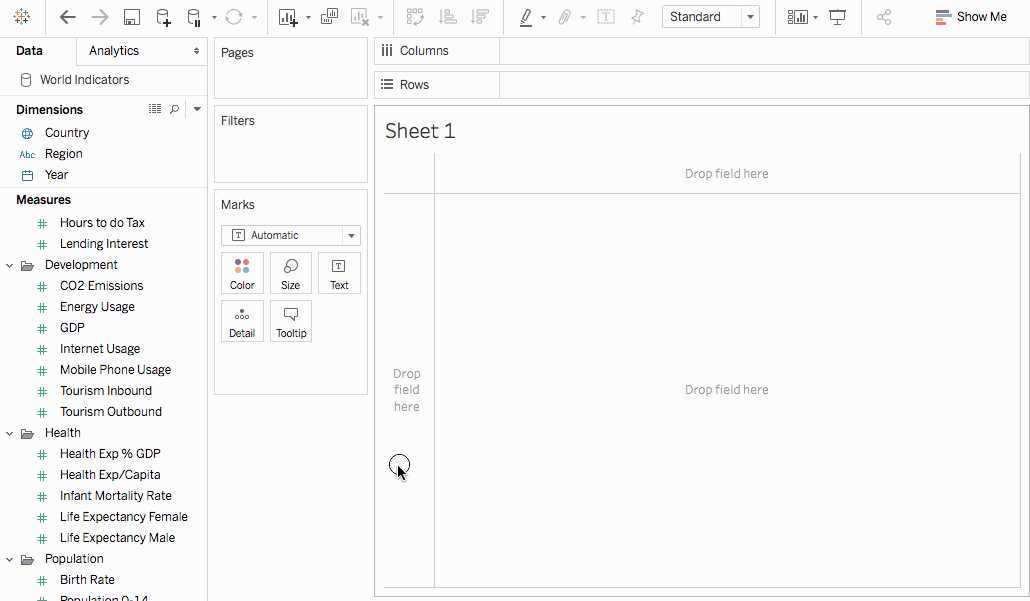
Reference: https://help.tableau.com/current/pro/desktop/en-us/qs_bullet_graphs.htm
Comments
Question 4
The default path for all supporting files, data sources, icons, logs etc is in ______________________
- A. Documents -> Tableau Files
- B. Documents -> Tableau
- C. Documents -> My Tableau Repository
- D. Downloads -> Tableau Support Files
Answer:
C
Explanation:
By default, all of the above mentioned are stored in Documents -> My Tableau Repository
Reference: https://help.tableau.com/current/pro/desktop/en-us/environ_filesandfolders.htm
Comments
Question 5
Tableau auto-generates ____________ dimension(s) and _____________ measure(s) for us
- A. 1 , 4
- B. 2 , 2
- C. 2 , 3
- D. 1 , 2
Answer:
A
Explanation:
Tableau auto-generates :
1 Dimension - Measure Names
4 Measures - Latitude, Longitude, Number of records, Measure Values
Starting with Tableau 2020.2, every table in a data source has a Count field, in the form of
NameofTable(Count). The table count field is an automatically generated, calculated field. (THIS IS
NOT PRESENT IN VERSION 2020.1 ON WHICH THE EXAM IS CURRENTLY BASED)
Reference: https://help.tableau.com/current/pro/desktop/en-
us/datafields_understanddatawindow.htm
Comments
Question 6
We can join a maximum of ______ tables in Tableau
- A. 16
- B. 32
- C. 64
- D. 128
Answer:
B
Explanation:
It is possible to join a maximum of 32 tables in Tableau!
Reference: https://www.mytectra.com/interview-question/tableau-interview-question-and-answers
Comments
Question 7
Which of the following are benefits of using Data Extracts in Tableau?
- A. Improved Performance
- B. Ability to use the data offline
- C. Working with freshest data at all times
- D. Faster to work with
Answer:
A, B, D
Explanation:
Extracts are advantageous for several reasons:
1) Supports large data sets: You can create extracts that contain billions of rows of data.
2) Fast to create: If you're working with large data sets, creating and working with extracts can be
faster than working with the original data.
3) Help improve performance: When you interact with views that use extract data sources, you
generally experience better performance than when interacting with views based on connections to
the original data.
4) Support additional functionality: Extracts allow you to take advantage of Tableau functionality
that's not available or supported by the original data, such as the ability to compute Count Distinct.
5) Provide offline access to your data: Extracts allow you to save and work with the data locally when
the original data is not available. For example, when you are traveling.
To work with the MOST up-do-date data, use a live connection instead!
Reference: https://help.tableau.com/current/pro/desktop/en-us/extracting_data.htm
Comments
Question 8
When you want to first apply a filter and THEN show the Top N or Bottom N elements, which of the
following filters would you use?
- A. Data source Filter
- B. Extract Filter
- C. Context Filter
- D. None of the these
Answer:
C
Explanation:
By default, all filters that you set in Tableau are computed independently. That is, each filter accesses
all rows in your data source without regard to other filters. However, you can set one or more
categorical filters as context filters for the view. You can think of a context filter as being an
independent filter. Any other filters that you set are defined as dependent filters because they
process only the data that passes through the context filter.
You may create a context filter to:
1) Improve performance – If you set a lot of filters or have a large data source, the queries can be
slow. You can set one or more context filters to improve performance.
2) Create a dependent numerical or top N filter – You can set a context filter to include only the data
of interest, and then set a numerical or a top N filter.
Reference: https://help.tableau.com/current/pro/desktop/en-us/filtering_context.htm
Comments
Question 9
You have cleaned a data source properly, created some calculated fields and renamed some columns.
You want to save these changes for future use cases. Which of the following would BEST satisfy this
requirement?
- A. Save it as a .twm file
- B. Save it as a .twb file
- C. Save it as a .tds file
- D. Save it as a .twbx file
Answer:
C
Explanation:
After making changes to Data, we can save that new data source as a .tds file. To do so, go to data
menu on top and then choose your current connected data source. Then next click on Add to Saved
Data sources. This will save all calculated fields, changes to fields etc. It will be saved in My Tableau
Repository -> Mydatasources. This will then also appear on Tableau Home Page under saved data
sources like SampleSuperStore.
Note: Data source files do not contain the actual data but rather the information necessary to
connect to the actual data as well as any modifications you've made on top of the actual data such as
changing default properties, creating calculated fields, adding groups, and so on.
.twb and .twbx are not the BEST solutions since the questions nowhere mentions that we need to
store our workbooks as well.
.twm is a bookmark which contains a single worksheet and are an easy way to quickly share your
work.
Reference: https://help.tableau.com/current/pro/desktop/en-us/environ_filesandfolders.htm
Comments
Question 10
True or False: It is possible to add a field to more than one hierarchy
- A. True
- B. False
Answer:
A
Explanation:
Yes! It is possible to duplicate a field and add it to more than one hierarchy. Right click and choose
duplicate.
Reference: https://www.tableau.com/about/blog/2016/8/take-note-these-10-handy-tableau-
shortcuts-57561
Comments
Page 1 out of 31
Viewing questions 1-10 out of 317
page 2