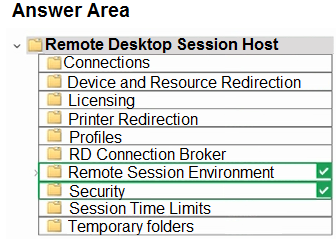
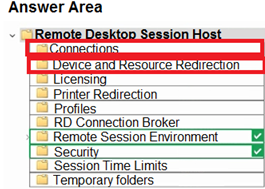
HOTSPOT Your network contains an Active Directory domain. The domain contains 1,000 computers that run Windows 11. You need to configure the Remote Desktop settings of all the computers. The solution must meet the following requirements: Prevent the sharing of clipboard contents. Ensure that users authenticate by using Network Level Authentication (NLA). Which two nodes of the Group Policy Management Editor should you use? To answer, select the appropriate nodes in the answer area. NOTE: Each correct selection is worth one point.
Answer:
Comments
Question 2
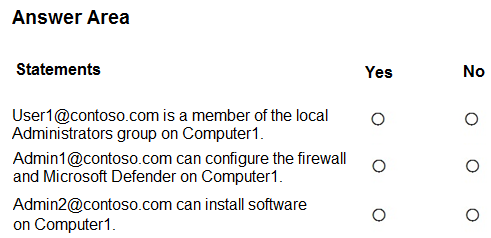
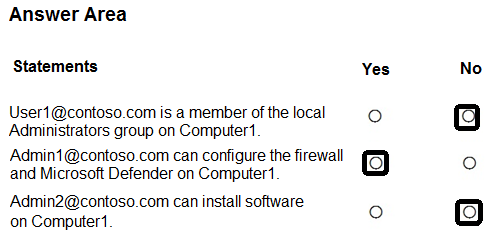
HOTSPOT You have an Azure AD tenant named contoso.com that contains the users shown in the following table. You have a computer named Computer1 that runs Windows 10. Computer1 is in a workgroup and has the local users shown in the following table. UserA joins Computer1 to Azure AD by using [email protected]. For each of the following statements, select Yes if the statement is true. Otherwise, select No. NOTE: Each correct selection is worth one point.
Answer:
Comments
ajohnston
1 year, 10 months ago
Other forums are suggesting the answers are YES, NO, NO.
Taken from Anthony_2770, " -1.Yes https://docs.microsoft.com/en-us/azure/active-directory/devices/assign-local-admin By default, Azure AD adds the user performing the Azure AD join to the local administrator group on the device. User1 joins Computer1 to Azure AD by using [email protected].
2. No https://docs.microsoft.com/en-us/azure/active-directory/roles/permissions-reference
You have a Microsoft 365 E5 subscription that contains 100 Windows 10 devices enrolled in Microsoft Intune.
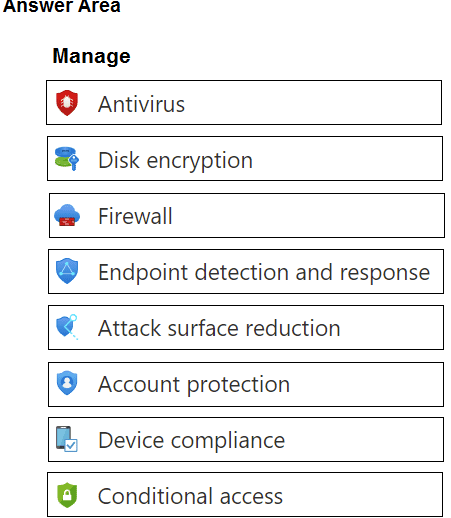
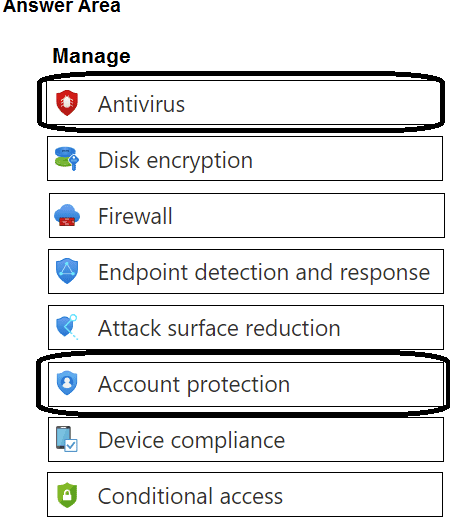
You need to create Endpoint security policies to meet the following requirements: Hide the Firewall & network protection area in the Windows Security app. Disable the provisioning of Windows Hello for Business on the devices.
Which two policy types should you use? To answer, select the policies in the answer area.
NOTE: Each correct selection is worth one point.
Answer:
Comments
Question 4
HOTSPOT
You have 200 computers that run Windows 10. The computers are joined to Azure AD and enrolled in Microsoft Intune.
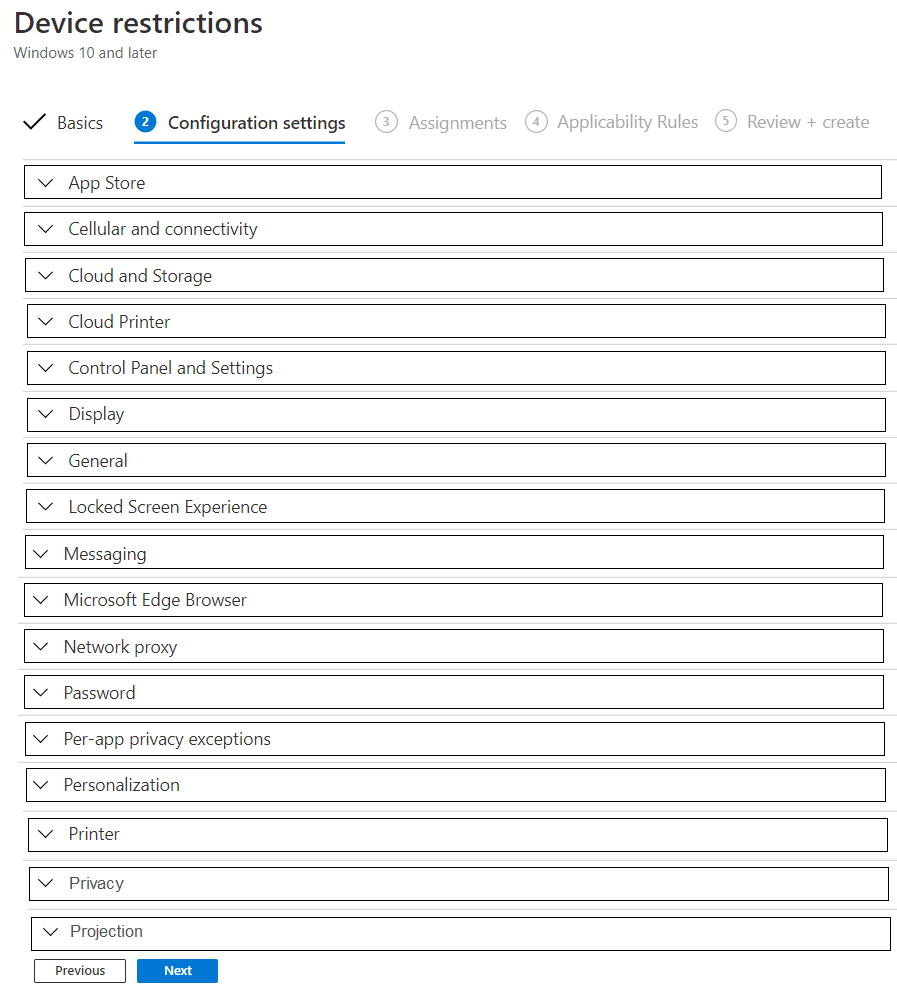
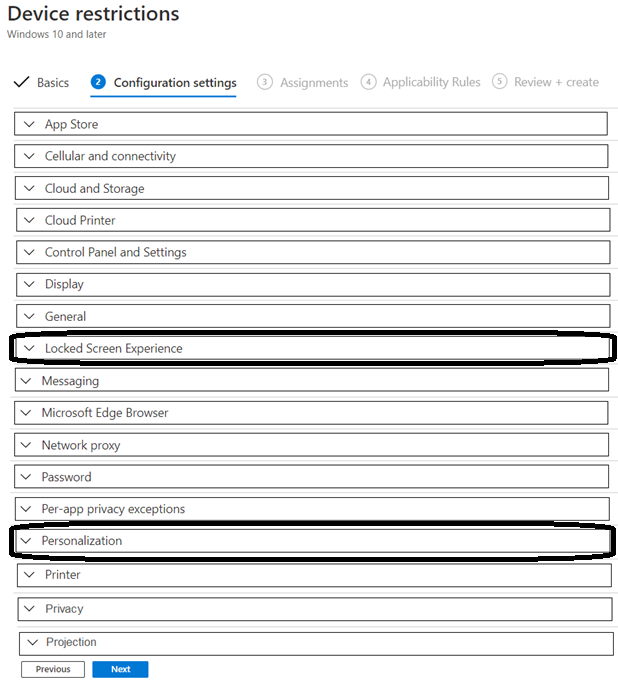
You need to set a custom image as the wallpaper and sign-in screen.
Which two settings should you configure in the Device restrictions configuration profile? To answer, select the appropriate settings in the answer area.
NOTE: Each correct selection is worth one point.
Answer:
Comments
Question 5
You have a Microsoft 365 E5 subscription and 25 Apple iPads. You need to enroll the iPads in Microsoft Intune by using the Apple Configurator enrollment method. What should you do first?
A.
Configure an Apply MDM push certificate.
B.
Add your user account as a device enrollment manager (DEM).
C.
Modify the enrollment restrictions.
D.
Upload a file that has the device identifiers for each iPad.
Answer:
a
A
2
B
0
C
0
D
0
Comments
Question 6
You have an Azure AD tenant that contains the devices shown in the following table.
You purchase Windows 11 Enterprise E5 licenses.
Which devices can use Subscription Activation to upgrade to Windows 11 Enterprise?
"Devices must be Microsoft Entra joined or Microsoft Entra hybrid joined. Workgroup-joined or Microsoft Entra registered devices aren't supported."
Question 7
You have a Microsoft 365 E5 subscription. The subscription contains 25 computers that run Windows 11 and are enrolled in Microsoft Intune. You need to onboard the devices to Microsoft Defender for Endpoint. What should you create in the Microsoft Intune admin center?
A.
an attack surface reduction (ASR) policy
B.
a security baseline
C.
an endpoint detection and response (EDR) policy
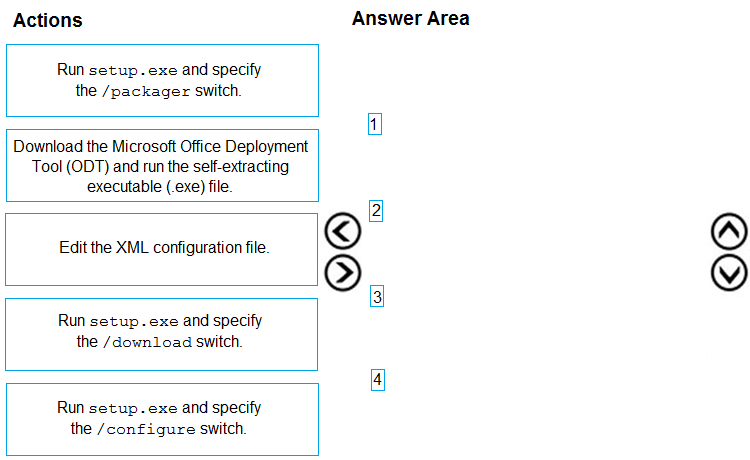
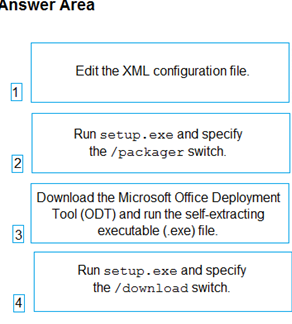
DRAG DROP You have a Microsoft 365 E5 subscription and a computer that runs Windows 11. You need to create a customized installation of Microsoft 365 Apps for enterprise. Which four actions should you perform in sequence? To answer, move the appropriate cmdlets from the list of cmdlets to the answer area and arrange them in the correct order.
Answer:
Comments
Question 9
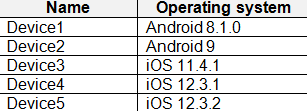
You have a Microsoft Intune subscription. You have devices enrolled in Intune as shown in the following table. An app named App1 is installed on each device. What is the minimum number of app configuration policies required to manage App1?
A.
1
B.
2
C.
3
D.
4
E.
5
Answer:
b
A
0
B
2
C
0
D
0
E
0
Comments
Question 10
You have a Microsoft 365 subscription that uses Microsoft Intune Suite.
You use Microsoft Intune to manage devices. All devices are in the same time zone.
You create an update rings policy and assign the policy to all Windows devices.
On the November 1, you pause the update rings policy.
All devices remain online.
Without further modification to the policy, on which date will the devices next attempt to update?